
Phone Neck Pain: What Helps Beyond Better Posture

Phone neck pain usually starts small. You look down to answer one message, then another. You scroll while waiting for coffee, check emails from the couch, reply to texts in bed, watch a few videos, and suddenly your neck feels tight, heavy, or tired.
At first, it may feel like a little stiffness at the base of the neck. Then it may spread into the shoulders, upper back, or even the back of the head. You may catch yourself rubbing the same spot, rolling your neck, or trying a quick stretch between tasks. It helps for a few minutes, then the tension comes back.
That is the frustrating part. Most people try to fix phone-related neck pain by sitting up straighter or stretching one tight muscle. Those things can help, but they usually do not address the root cause of your neck's complaints.
Neck pain from looking down at your phone often improves when setup, movement breaks, strength, sleep position, and workload are addressed together rather than relying on a single stretch.
Why Looking Down at Your Phone Can Irritate Your Neck
Your neck is designed to move. Looking down for a few minutes is not a problem for most people. The issue starts when your neck stays in the same forward-bent position for long periods, especially when that happens many times a day.
When you look down at your phone, the muscles in the back of your neck work to hold your head up. Your shoulders may round forward. Your upper back may stiffen. Your jaw may clench. Your breathing may become shallower. Over time, the same tissues keep doing the same job without enough breaks.
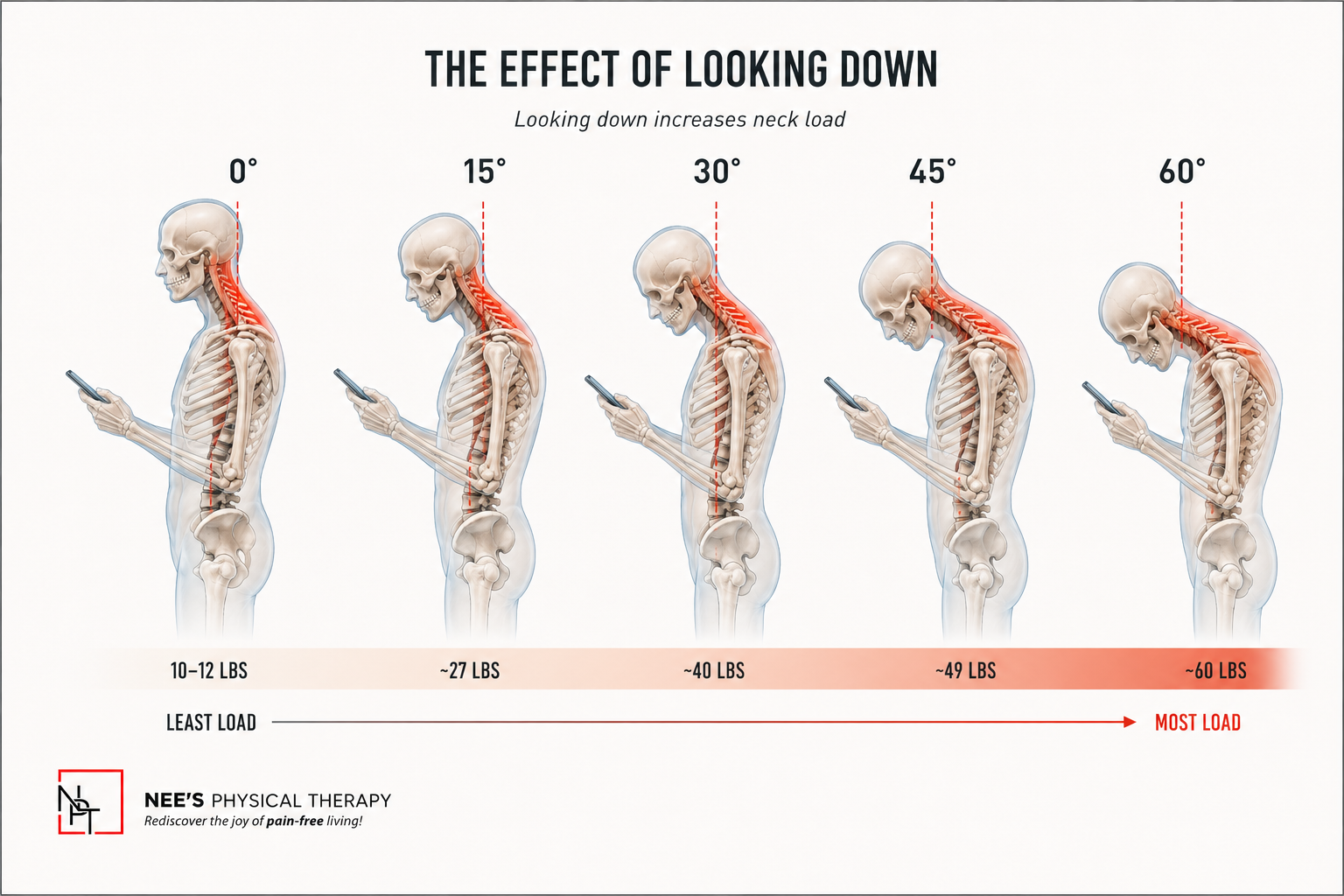
This is why tech neck and text neck are so common. The phone is not the only issue. The pattern is the issue: repeated screen use, limited movement, poor setup, long hours at the desk, and insufficient strength to support the position you spend so much time in.
A quick posture correction may help for a moment. Your body usually needs a broader reset.
Text Neck: Why It Is More Than a “Bad Posture” Problem
Text neck is a casual term for neck and shoulder discomfort that develops from looking down at phones, tablets, or other screens. It sounds simple, but the way it feels can vary.
You may notice:
Stiffness at the base of the neck
Tightness across the shoulders
A heavy or tired feeling in the head and neck
Pain between the shoulder blades
Headaches after long screen use
Discomfort when turning your head
A pulling sensation in the upper back
Symptoms that worsen by the end of the day
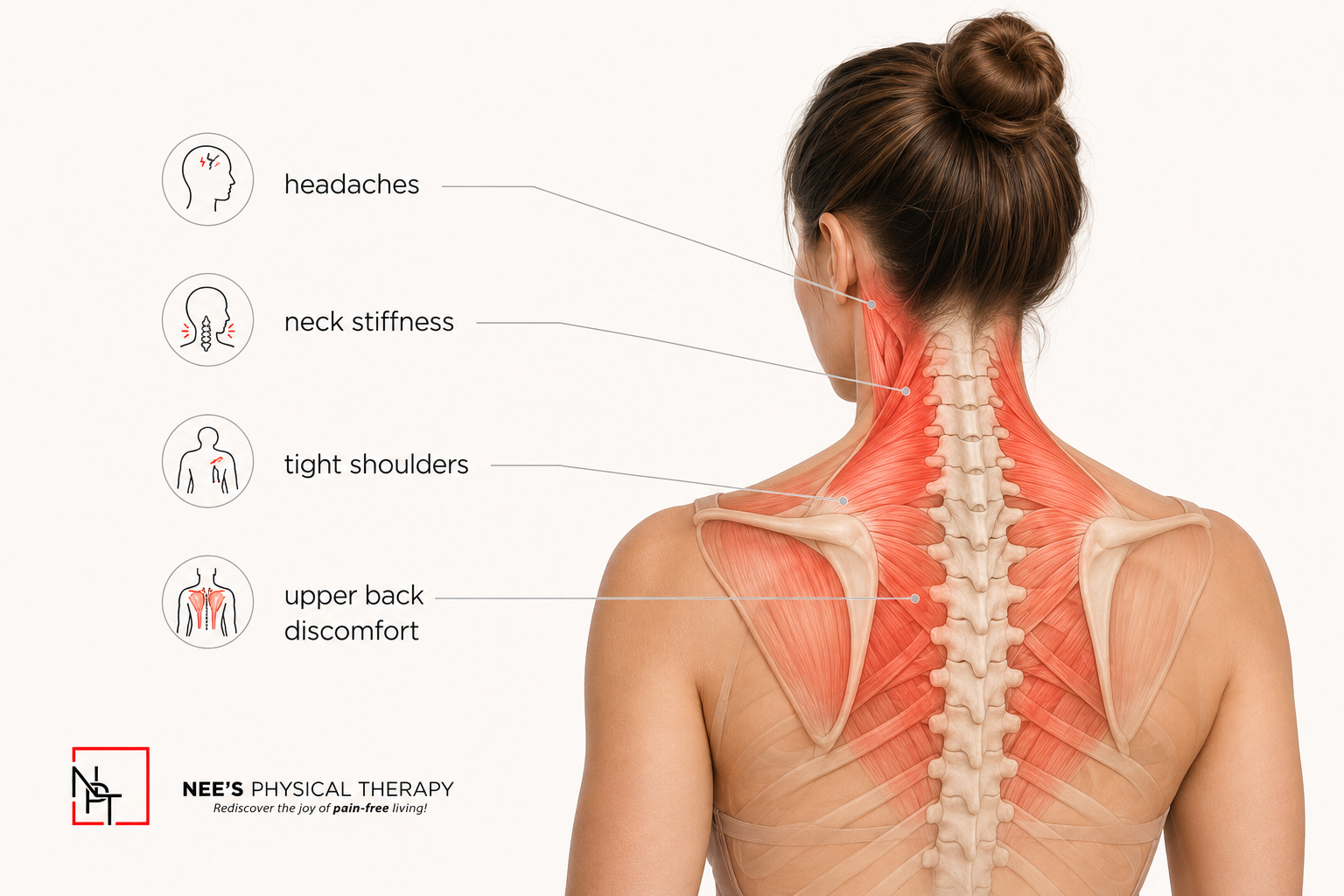
It is easy to blame posture. Posture can play a role, but your body also responds to time, repetition, stress, fatigue, and strength demands.
Think about a real day. You may look down at your phone before getting out of bed. Then you work on a laptop, take calls, commute, scroll during lunch, answer messages, and wind down with another screen at night. Your neck may not be reacting to one bad position. It may be reacting to the day's total load.
What Helps With Phone Neck Pain Beyond Quick Posture Fixes?
The usual advice is to “sit up straight” or “hold your phone higher.” That is a start, but most people cannot hold a perfect posture all day. Your body needs a plan that fits real life.
Phone neck pain often improves when you address a few things together:
How often do you look down
How long do you stay in one position
How does your desk and phone setup support you
How strong your neck, shoulders, and upper back are
How often do you take movement breaks
How you sleep
How much total screen time is your body tolerating
The goal is not to become hyperaware of every position. The goal is to give your neck more support, more variety, and more capacity.
Ergonomics for Your Phone and Desk Setup
Ergonomics sounds formal, but it really means setting up your environment so your body doesn't have to work as hard.
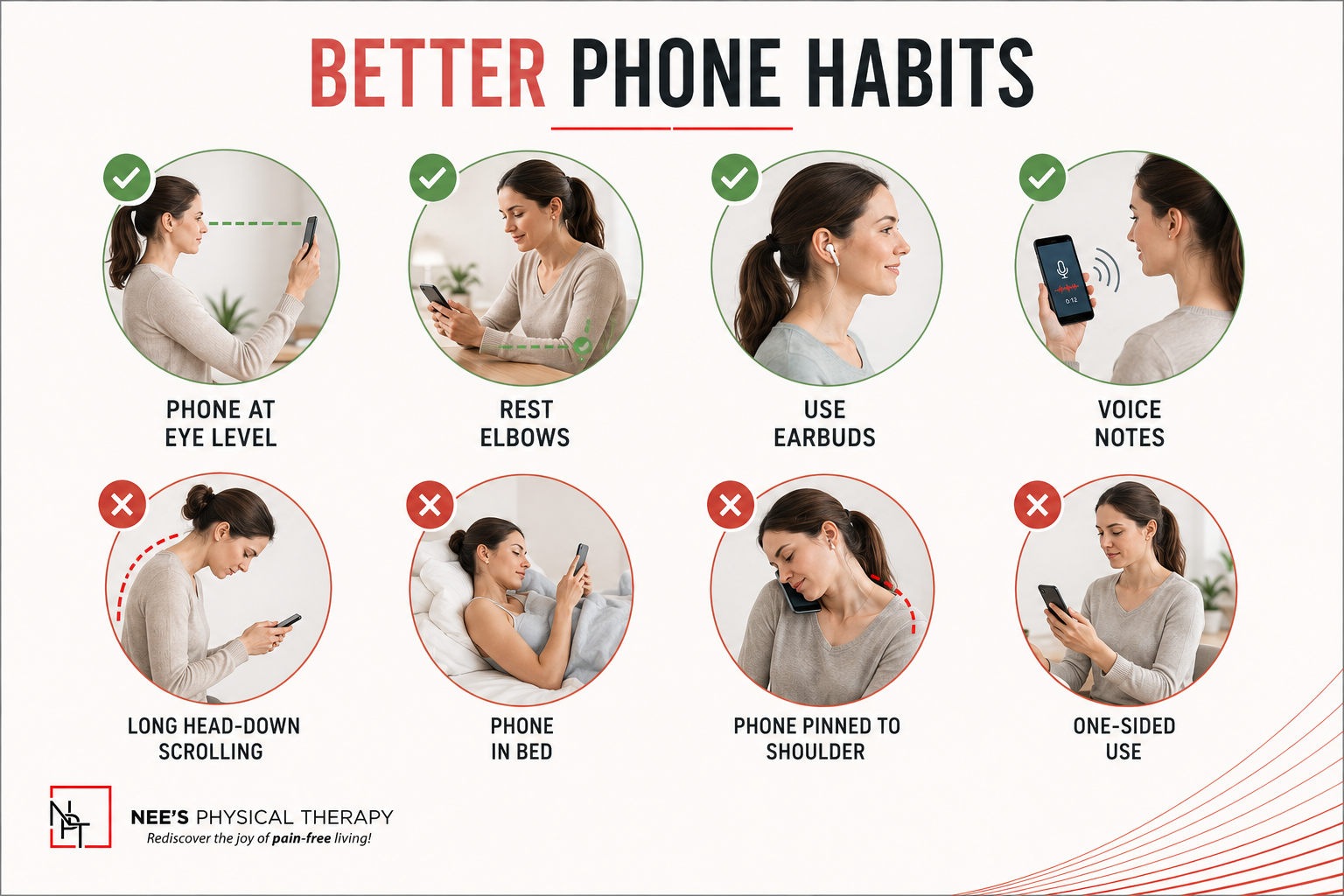
For phone use, try simple changes:
Bring the phone closer to eye level when you can
Rest your elbows on a table, pillow, or armrest during longer scrolling
Avoid looking down at your phone in bed for long stretches
Use voice notes or dictation when typing starts bothering your neck
Take calls with earbuds instead of holding the phone between your shoulder and ear
Switch hands often if you tend to hold the phone on one side
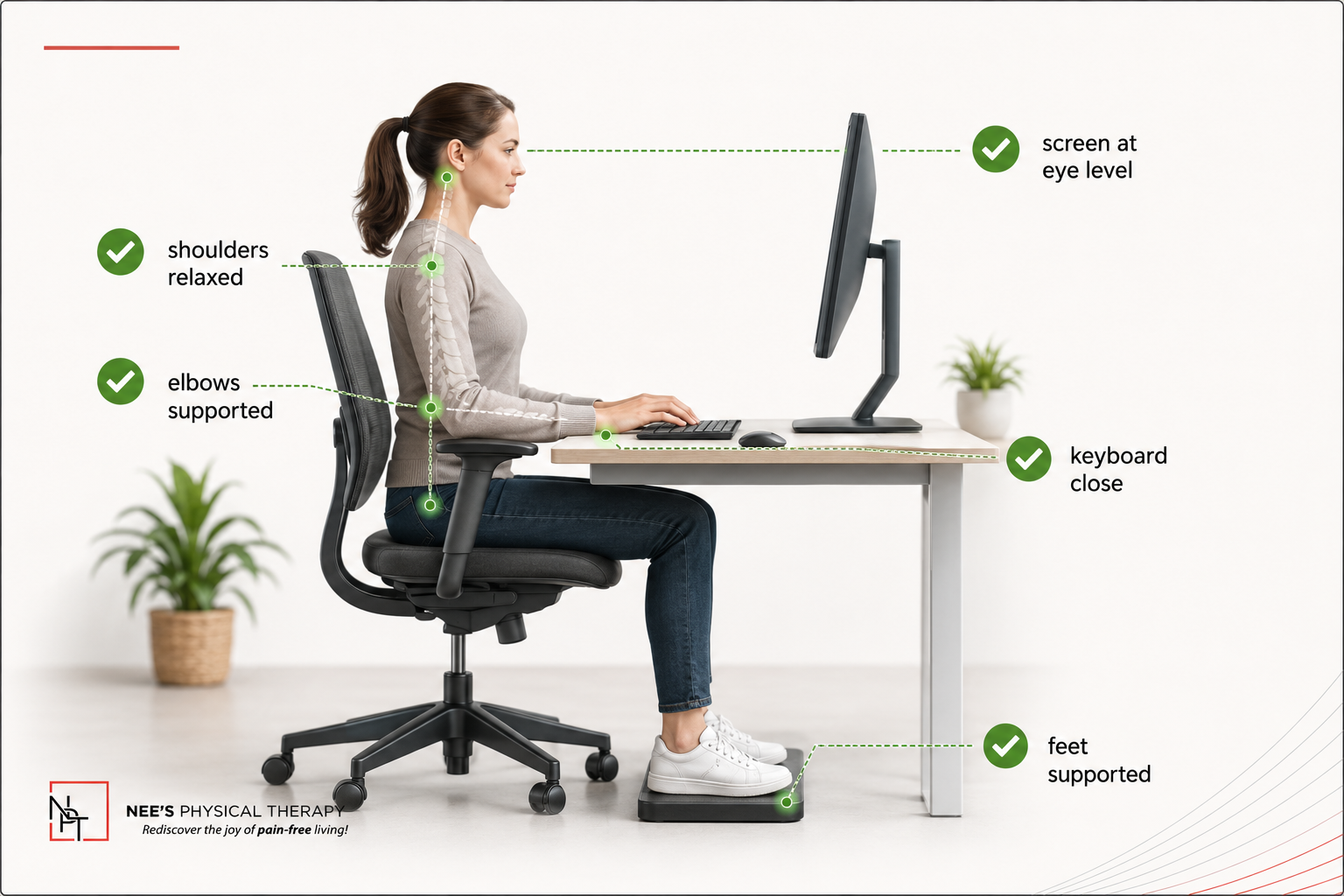
For desk setup, the basics matter too:
Keep your screen close to eye level
Use a separate keyboard and mouse if you work on a laptop
Keep your elbows supported or relaxed near your sides
Avoid reaching forward for your mouse all day
Keep both feet supported
Use the back of your chair instead of hovering forward for hours
If you work from home in Hoboken and move between a desk, couch, bed, and kitchen counter, your neck may be dealing with a different setup every hour. None of those positions is “wrong” in small doses. Problems often start when one strained position becomes your main work posture.
Movement Breaks: A Quick Routine for Tech Neck
You do not need a long workout to give your neck relief during the day. Short movement breaks can help reduce stiffness before it builds.
Try this 2-minute reset every 45 to 60 minutes:
Look straight ahead and take 5 slow breaths
Do 8 gentle chin tucks
Do 5 slow neck turns on each side
Roll your shoulders backward 10 times
Squeeze your shoulder blades gently 8 times
Stand up and reach both arms overhead 5 times
Walk for 30 to 60 seconds
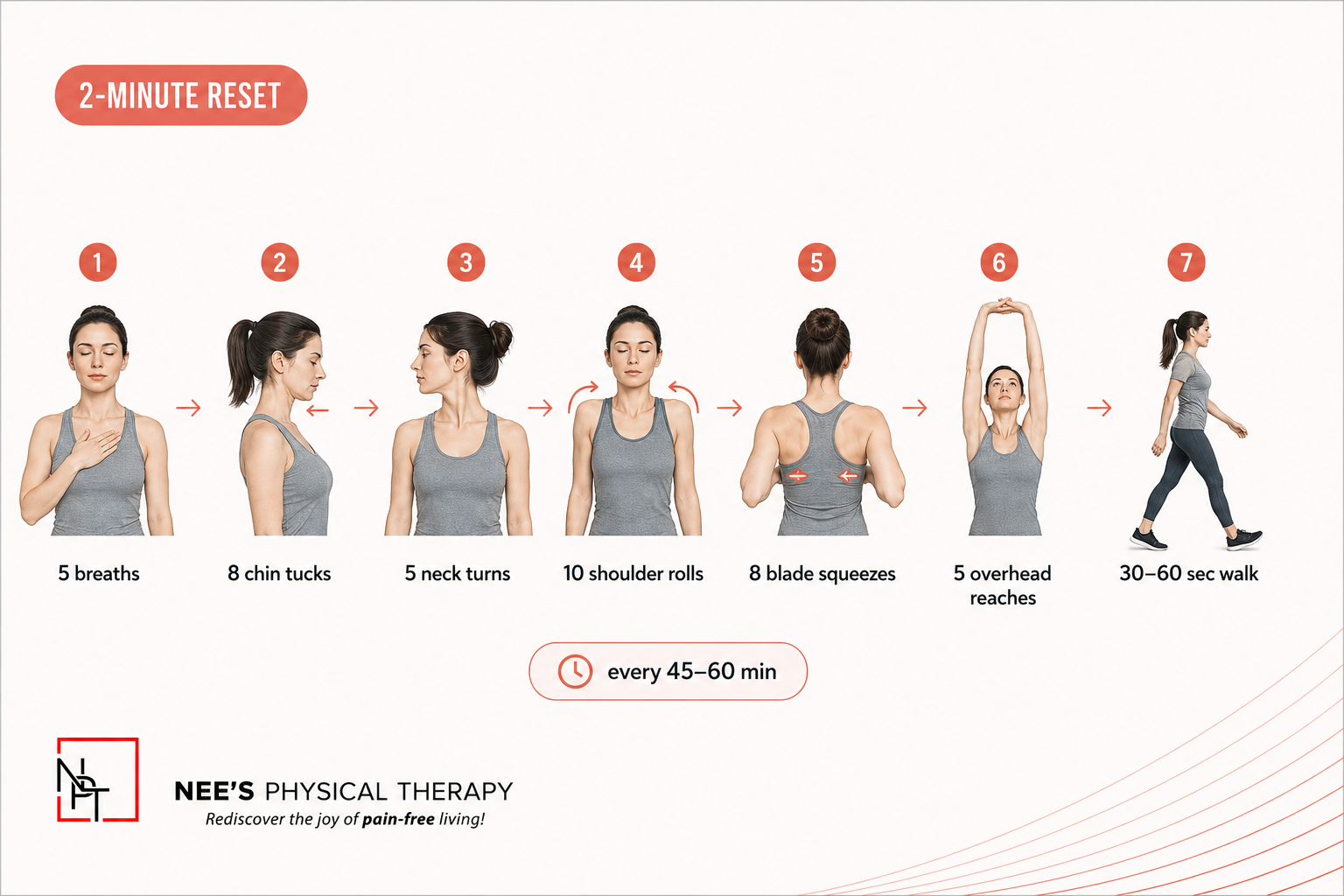
Keep the movements gentle. They should feel like a reset, not a test. If anything creates sharp pain, dizziness, numbness, tingling, or symptoms down the arm, stop and get assessed.
Movement breaks work best when you take them before your neck starts to hurt. Waiting until pain builds usually makes it harder to calm down.
Neck Pain Exercises That Build Support
Stretching may feel good, but many people with phone neck pain also need strength. Your neck, shoulders, upper back, and core help support your head throughout the day. If those muscles lack endurance, your neck may feel tired faster.
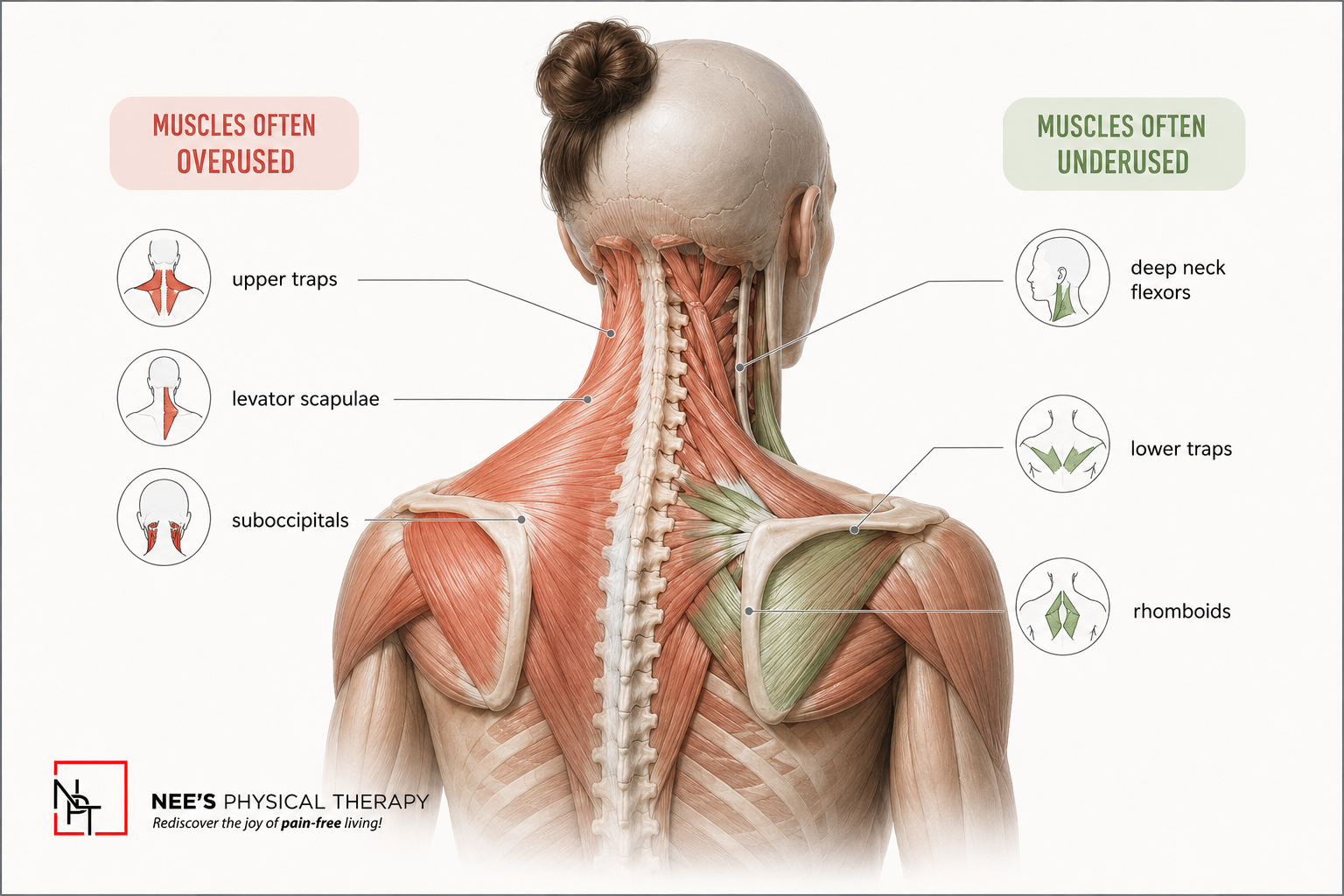
Helpful neck pain exercises may include:
Chin tucks
Shoulder blade squeezes
Wall angels
Rows
Band pull-aparts
Thoracic extension over a chair
Deep neck flexor holds
Gentle upper back mobility
Breathing drills
These exercises should not increase symptoms. The right plan depends on how your neck moves, where the pain is, what your daily setup looks like, and whether symptoms travel into your shoulder, arm, or hand.
This is where a Posture Evaluation can help. A PT can assess how your neck, shoulders, upper back, desk setup, sleep position, and daily habits interact.
Sleep Posture Can Affect Morning Neck Pain
Phone neck pain often gets worse when you do not get enough sleep, as it gives your neck a chance to recover. If you wake up stiff, your neck may already feel irritated before the day begins.
Sleep posture does not need to be perfect, but small adjustments can help.
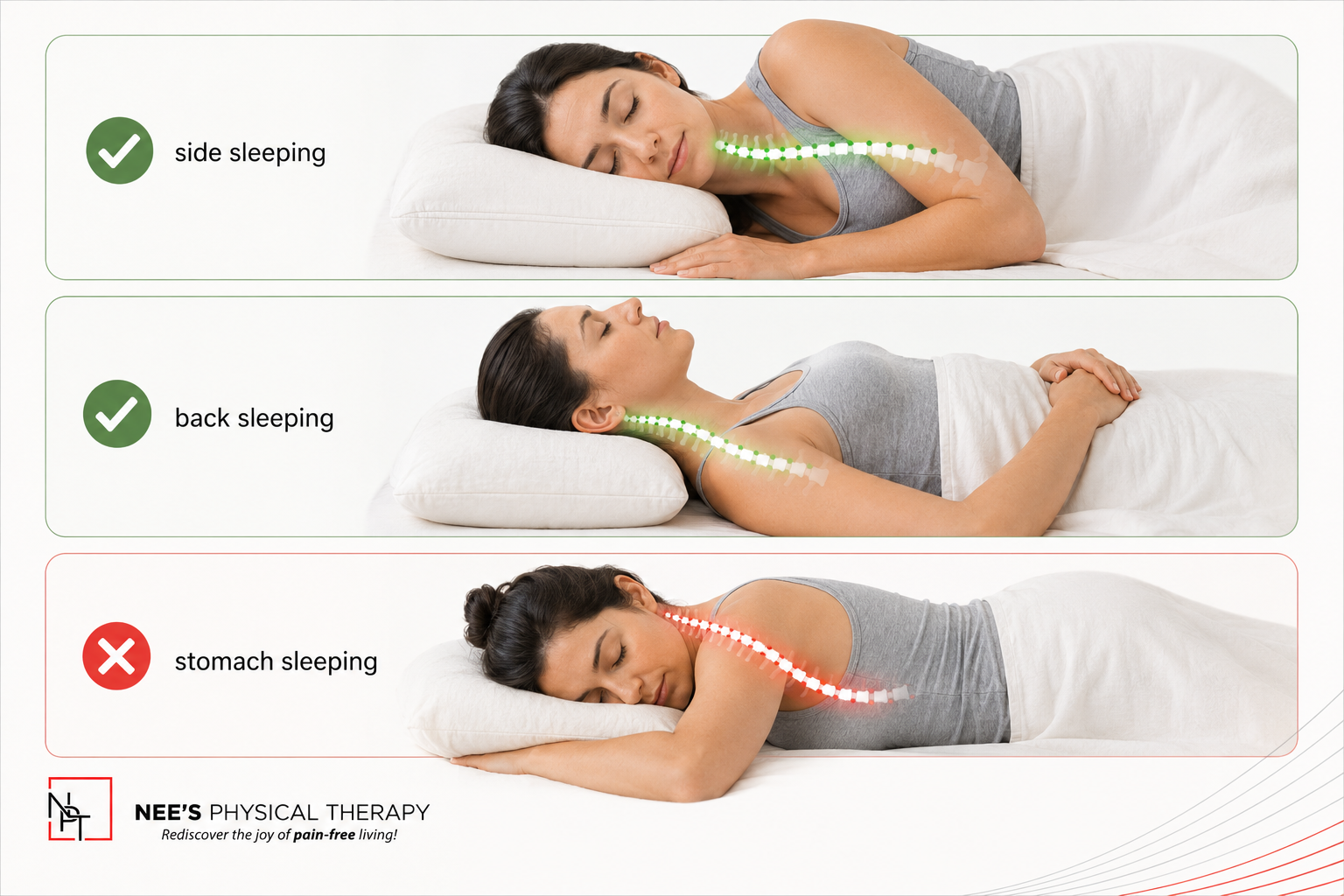
If you sleep on your side, try to keep your pillow high enough to support the space between your shoulder and head. If the pillow is too low, your neck may bend downward. If it is too high, your neck may tilt upward.
If you sleep on your back, use a pillow that supports the natural curve of your neck without pushing your head too far forward. If you sleep on your stomach and often wake with neck pain, that position may be placing your neck in rotation for too long.
Also, try to avoid long phone sessions in bed. Looking down at your phone while lying on your back or side can place your neck in awkward positions for much longer than you realize.
A Real-World Example: The Phone-and-Laptop Loop
Here is a pattern we see often.
Someone wakes up and checks their phone in bed. Then they work on a laptop for several hours. They take a lunch break and scroll. They answer messages while walking around. Later, they sit on the couch with their laptop low in their lap. By evening, the neck feels tight, the shoulders feel heavy, and the upper back feels stuck.
No single moment caused the pain. The day simply gave the neck very little variety.
For this person, the solution may include raising the laptop, using a separate keyboard, taking short movement breaks, changing phone habits in bed, strengthening the upper back, and improving sleep support.
That kind of plan feels more useful than being told to “stop slouching.”
When Phone Neck Pain Needs a Closer Look
If your neck pain keeps returning, lasts for days, causes headaches, limits movement, or affects your workday, it may be time for an assessment.
At Nee’s Physical Therapy in Hoboken, Akanksha Rathod provides 1:1 care for people dealing with phone neck pain, tech neck, posture-related discomfort, and desk-related pain. A session may include a Posture Evaluation, movement assessment, desk setup guidance, manual therapy when appropriate, neck pain exercises, and a plan that fits your day.
The goal is to understand why your symptoms keep returning and what your body needs to better tolerate your routine.
You should seek medical care sooner if neck pain follows a fall or accident, spreads down the arm, causes numbness or weakness, comes with dizziness or severe headaches, or feels sudden and intense.
A Better Way to Handle Phone Neck Pain
Phone neck pain can be annoying because it often stems from everyday habits. You may not be doing anything extreme. You are just using your phone, working, texting, scrolling, and living your life.
That is why the solution needs to fit real life, too.
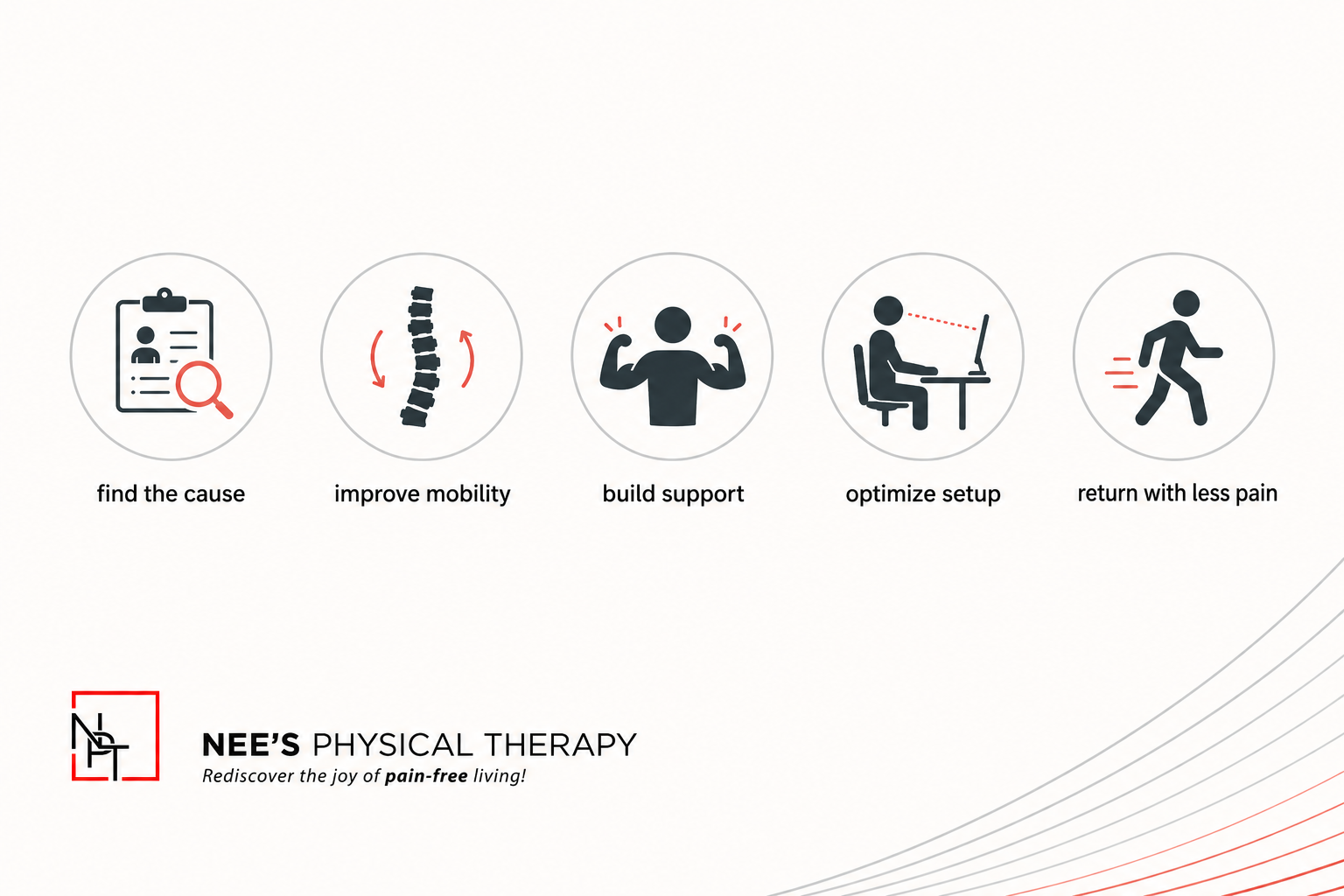
Better posture can help, but your neck may also need movement breaks, strength, a better desk setup, smarter phone habits, improved sleep support, and a plan that matches your daily workload.
With the right approach, your neck can feel less stiff, your shoulders can feel lighter, and your body can handle screen time with more ease.
Medical disclaimer: This content is for educational purposes only and does not replace medical advice, diagnosis, or treatment. Neck pain can have many causes. If your pain is severe, worsening, spreading into the arm, associated with numbness, weakness, dizziness, severe headache, fever, or follows an accident, please seek medical care.
FAQ
Is posture really the cause?
Posture can contribute to phone neck pain, especially if you spend long periods looking down or working on a low screen. It is usually one part of a bigger picture. Screen time, movement breaks, strength, sleep posture, stress, desk setup, and workload can also matter.
A helpful goal is to change positions more often and build enough strength to support the positions you use every day.
What desk changes help most?
The most helpful desk changes are usually simple. Raise your screen closer to eye level, use a separate keyboard and mouse if you work on a laptop, keep your elbows supported or relaxed near your sides, and avoid reaching forward all day.
For phone use, bring the phone higher when possible and support your arms during longer scrolling.
How often should I take movement breaks?
A good starting point is every 45 to 60 minutes. Even one or two minutes can help. Move your neck gently, roll your shoulders, stand up, breathe, and walk for a short time.
If your neck gets stiff quickly, take shorter breaks more often. Your body usually responds better to small resets throughout the day than one big stretch at night.
